
This release brings a change to the user interface.
The three main functionalities, Differences, Layers and Separations, are available on the left-hand side and are accessed by expanding the arrow to the left of each header.
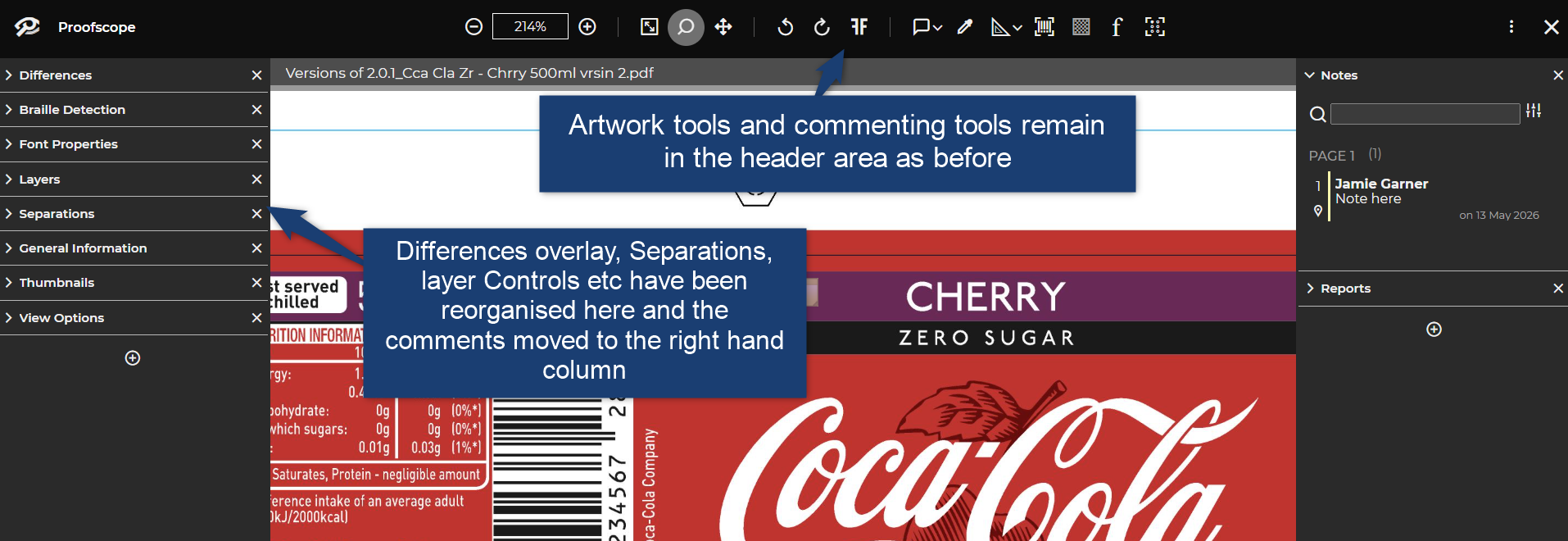
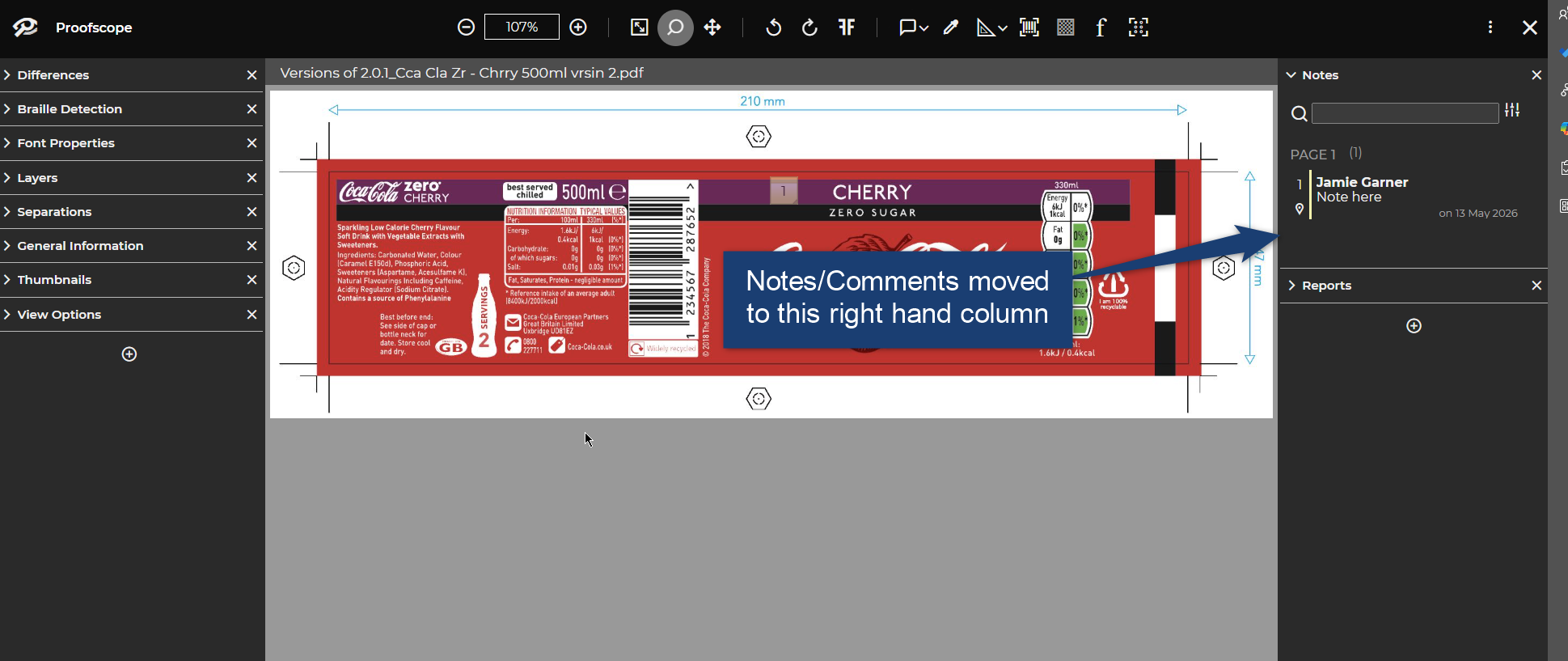
Comments are now separated and displayed on the right-hand side.
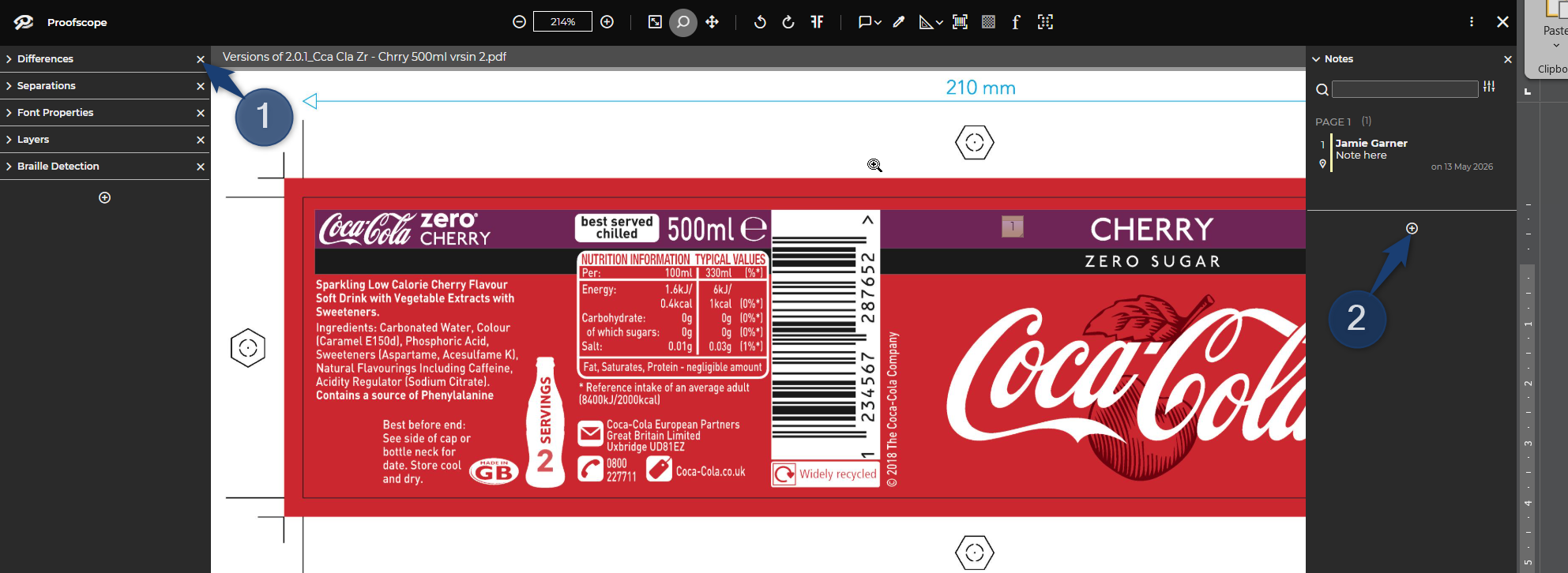
You can customise the left and right-hand columns for yourself. Example: Move the Differences panel to the right-hand column
1. Click on the X to close the Differences panel.
2. Now on the right-hand panel click the + symbol and a menu will popup.
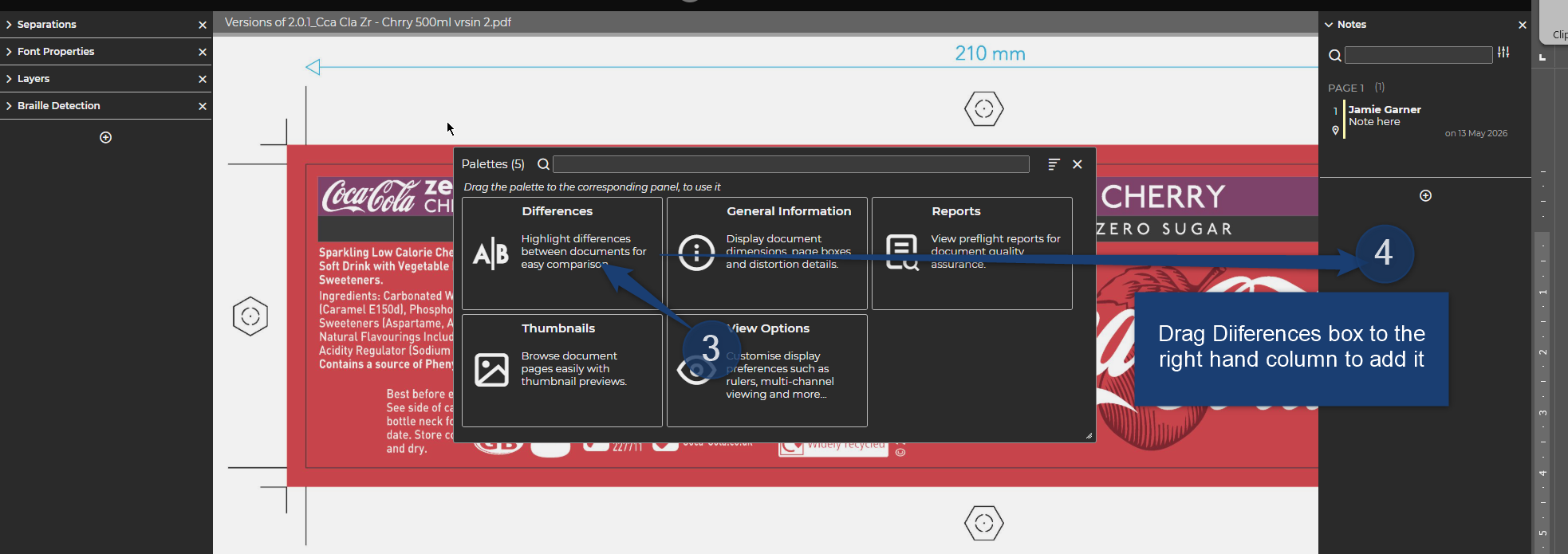
3. Select the Differences panel when the mouse cursor turns into a hand icon.
4. Drag and drop the Differences panel to the right-hand column to move it.
All panels can be added to either column or can remain closed by just clicking the X.
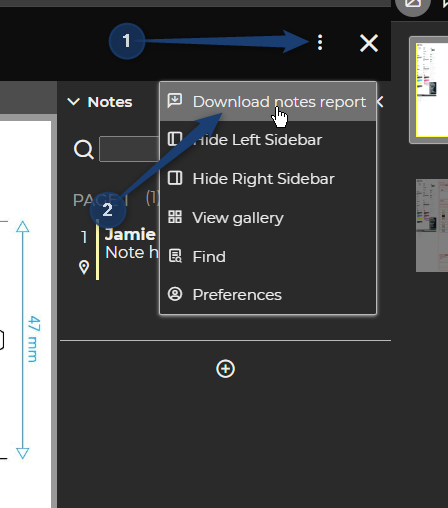
To download the Comments left by users, navigate to the three-dot menu top right and select “Download notes report”.
This release brings improvement to stability and day-to-day usability.
Admin Centre
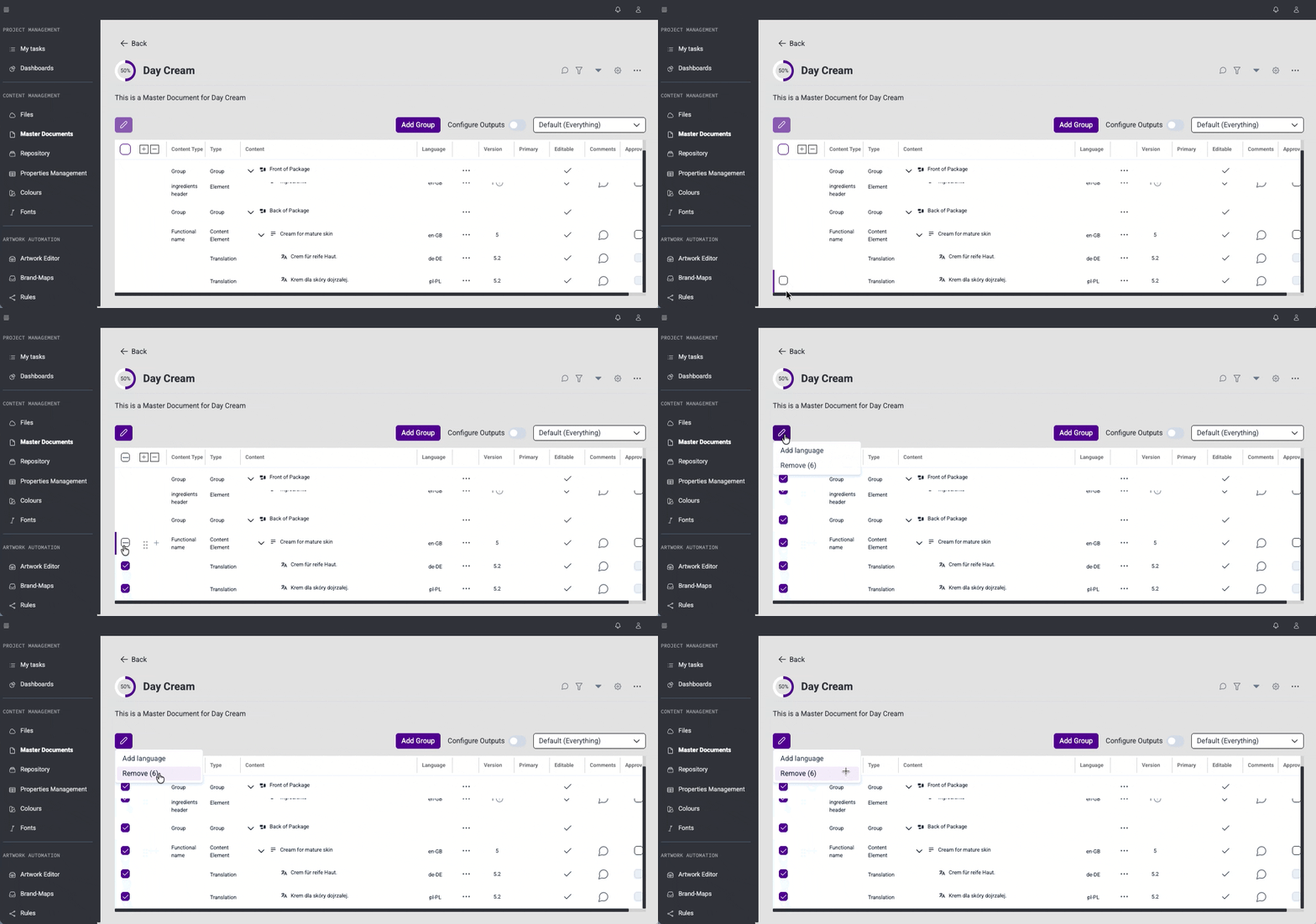
Multi-Selection in Tables Across Content Management (#58781)
Multi-selection support has been added to tables used across the Content Management application. Users can now select multiple items at once, making bulk operations faster and more efficient.
Bulk Remove on Master Document Details Page (#58782)
The ability to remove multiple items at once has been added to the Master Document details page. Users can now select and remove multiple entries in a single action, saving time when managing large documents.
Bulk Add Language on Master Document Details Page (#58783)
The ability to add a language to multiple items at once has been added to the Master Document details page. Users can now apply a language to multiple entries simultaneously, reducing manual effort.
Side Panel Loading State on Master Document Details Page (#55178)
Delays when opening the side panel on the Master Document details page have been eliminated. Users now see the side panel in a loading state at once.
This release brings several improvements to stability and day-to-day usability.
API
Master Documents
Rules
Files
API Documentation Migrated to Scalar (#58480)
The API documentation has been migrated to Scalar while remaining available at the same address - documenter.mypackbrain.com. The documentation is now maintained directly alongside the product, giving us greater control and ensuring it stays accurate and up to date.
Loading Indicator on Master Document Details Page (#37887)
A loading indicator was implemented to give users clear feedback on what is happening in the system. It appears on the action button while the operation is in progress, and the page remains inactive until the operation is complete, preventing accidental duplicate actions.
Locking and Unlocking Files in Rules (#49559)
The ability to lock and unlock files has been added to Rules. Files that are linked to a graphic variable in Rules are now locked. This protects files from unintended remove while they are actively in use. The lock is removed automatically when the file is no longer used in any Rules.
Secure Monorepo Webhooks (#18328)
Webhook authorization has been unified with the security model used across the rest of the application. Webhooks now use API Key or Bearer Token authentication with permissions, replacing the previous authorization method.
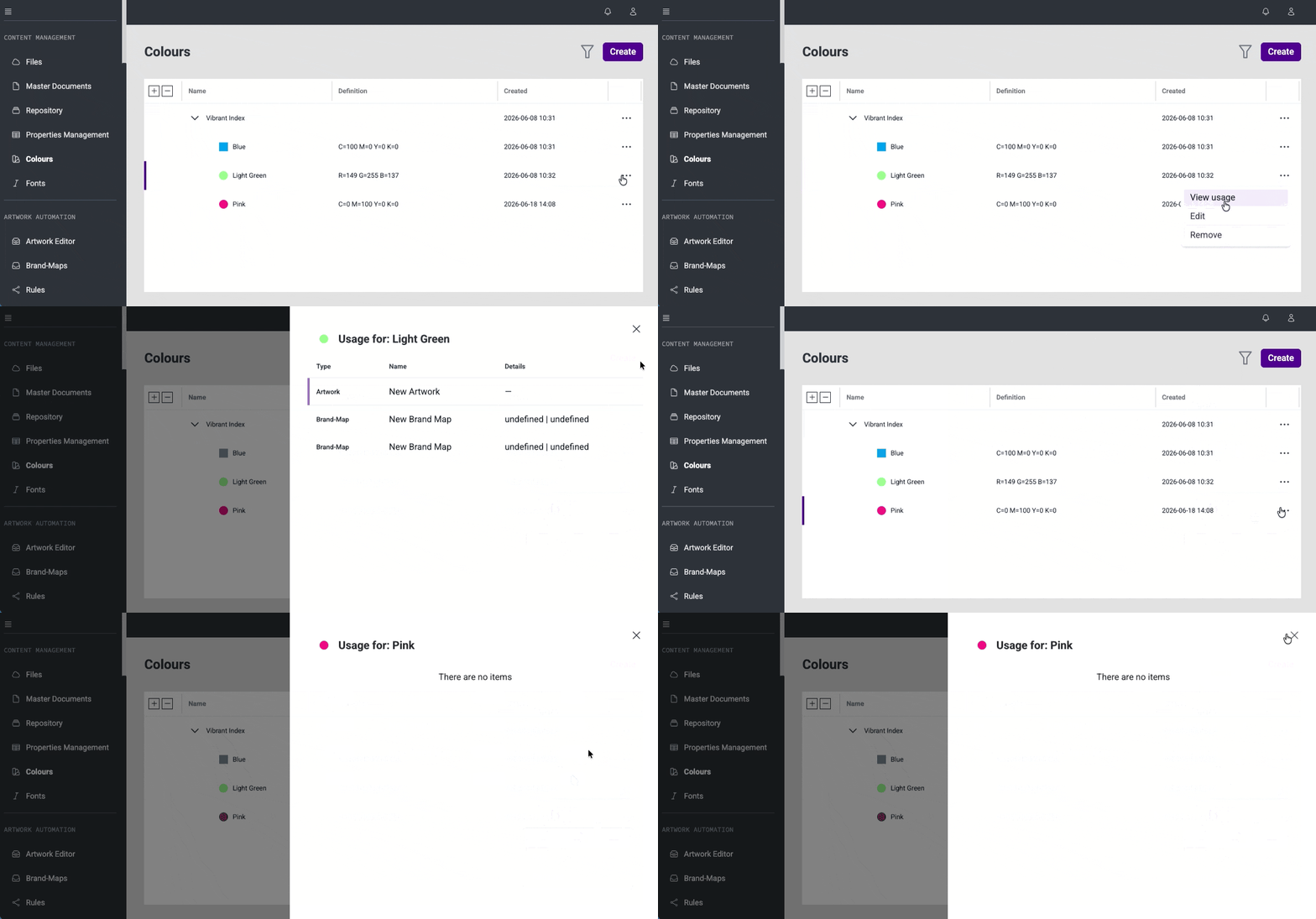
Colours - Usage information (#46317)
Extends the Colours module with the ability to view where a colour is used in any Content Management module. Currently shows usage in the Editor with the related Brand Map and element, with direct opening in a new tab.
Files - Refactor Reusable Files Component (#55808)
The Files component has been updated with a refreshed layout: file previews are slightly smaller, and each file now displays its name and version directly on the list. The list loads continuously as users scroll, removing the need for pagination. Users can also select files from the list, with a clear selection indicator showing the current selection state.
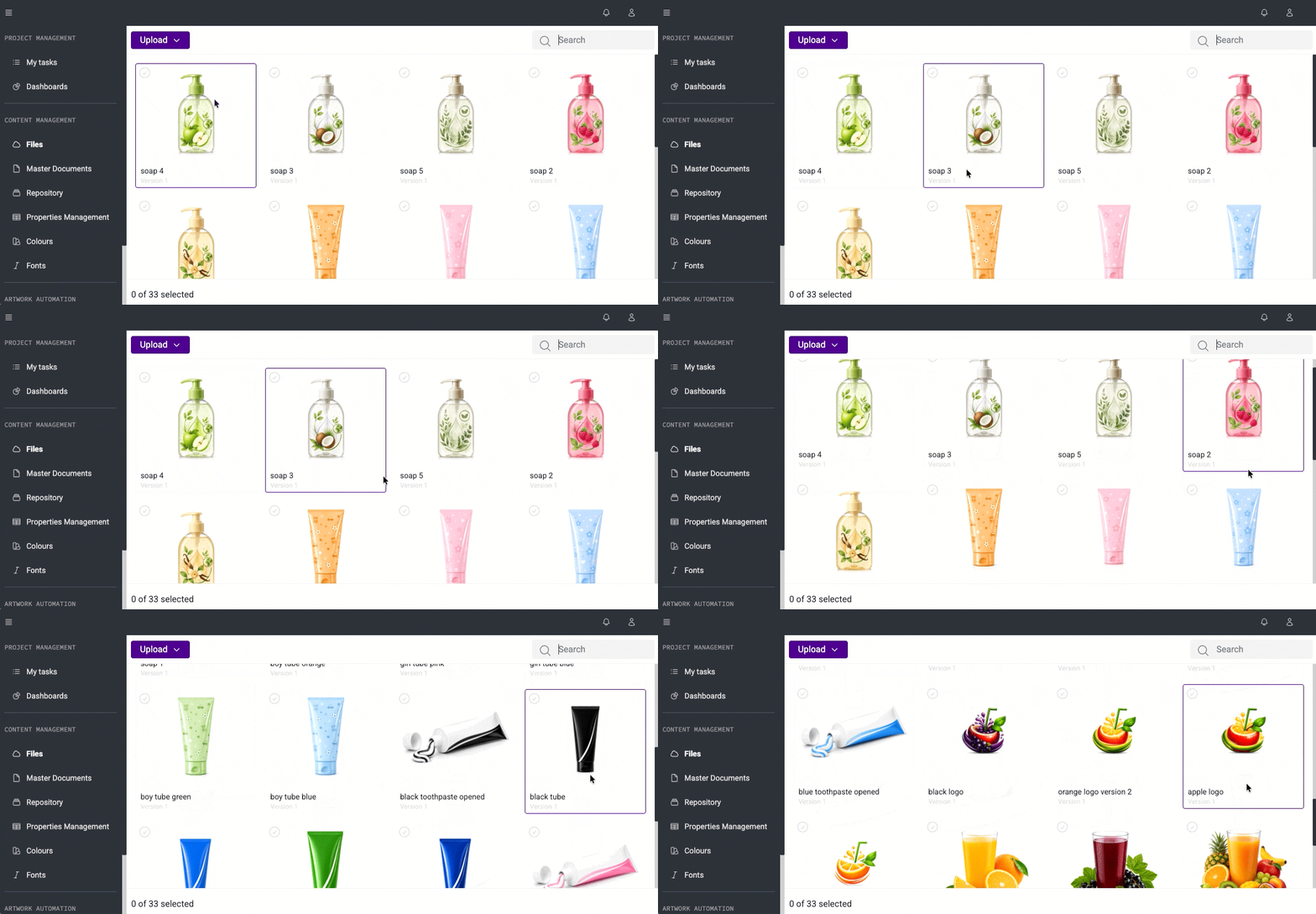
Files - Configurable Selection Mode in Files Component (#55809)
The Files component is now used consistently across the Content Management application, providing users with both single and multi-select options when working with files.
Bug Fixes
This release brings several improvements to stability and day-to-day usability.
Master Document
Brand Maps & Artworks
Rules
Bug Fixes
This release improves stability and day-to-day usability.
This release includes fixes and stability improvements for the following Global Properties features:
Resolved issues related to access permissions and organization-specific property configuration, ensuring that Global Properties are managed only within their intended organizational scope.


