
Files side panel - UI improvements (#17654, #73466, #74403)
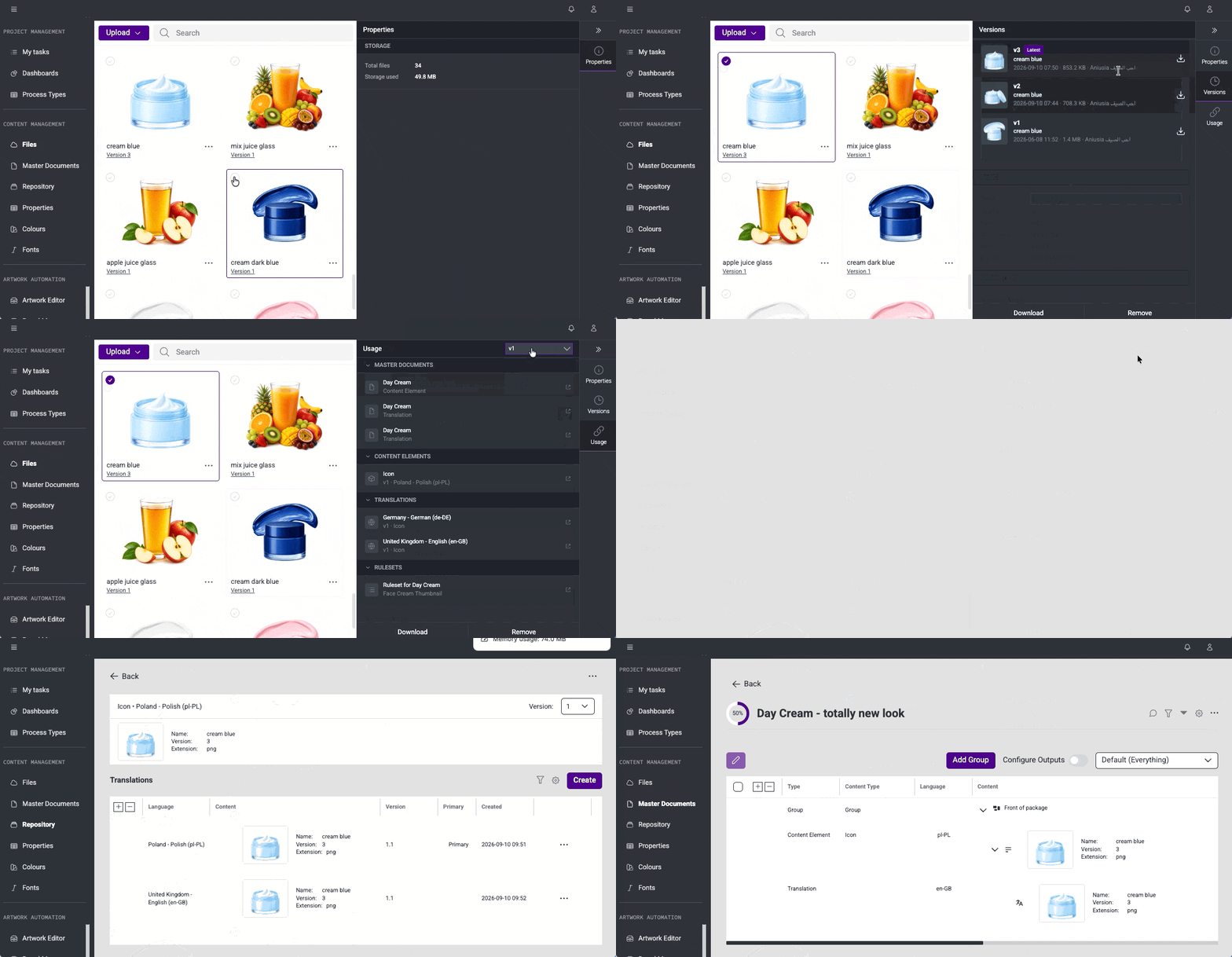
The UI enhancements announced in the previous release have been delivered. The panel has been updated to align with the product UI guidelines, bringing improvements to colors, sizing, and alignment throughout the module. Usage information is now grouped by module and context, making it easier to understand where and how a file is referenced. A version selector is available across the full Usage view, and thumbnails have been added to provide visual context at a glance.
Faster Master Document loading (#62114)
Permission checks in Master Documents have been optimized to reduce the number of internal requests made during page load. Master Document pages now load noticeably faster, particularly for users working with larger or more complex documents.
This release brings several improvements to stability and day-to-day usability.
Files
Master Documents
Colours
Contextual side panel for Files (#73466)
A right-side panel has been introduced in the Files module. When a file is selected, the panel displays dedicated tiles for Properties, Versions, and Usage, giving users quick access to file details without leaving the current view. Further UI enhancements to the Files side panel are planned for the upcoming release.
Version history in Files (#17654)
The Files module has been extended to display all available versions of a file. The version button provides access to version history, making it easy to review past versions and identify which one is currently in use.
Usage information in the Files side panel (#74403)
File usage information has been moved into the Files side panel. Users can now view where a file is used directly from the panel, keeping the main Files view uncluttered.
View usage for files (#17492)
A new View Usage action has been added to the Files module. Selecting a file opens a side panel listing all resources that reference it - including artworks, brand maps, Rules, Master Documents, Content Elements, and translations - with details on the version and context of each usage.
Automatic property import from Pasara (#59373)
When a new Global Property is created, existing matching values from Pasara are now automatically imported into Content Management. This removes the need to manually populate the property after creation.
Project tracking for My Tasks (#75906)
The system now tracks which projects each user is assigned to, enabling fast and accurate retrieval of user-specific project data. This is the foundation that powers the upcoming My Tasks feature.
This release brings several improvements to stability and day-to-day usability.
Content Management
Master Documents & Repository
Projects
Duplicate Brand Maps and Artworks (#71288)
The ability to duplicate Brand Maps and Artworks has been added to Content Management. Users can now create an independent copy of an existing Brand Map or Artwork directly from the context menu - preserving its structure and configuration.
This release brings improvement to stability and day-to-day usability.
Artwork Online
Duplicate Brand Maps and Artworks (#71288)
The ability to duplicate Brand Maps and Artworks has been added to Artwork Management. Users can now create an independent copy of an existing Brand Map or Artwork directly from the context menu - preserving its structure, elements, variable definitions, and configuration. The duplicated item appears immediately in the list and can be edited independently of the original.
View Usage for Files (#17492)
A "View Usage" action has been added to the Files module. Users can now see where a specific file is being used across the system - including artworks, brand maps, Rules, Content Elements, and Translations. The results are displayed in a side panel showing the resource type, name, version, and the specific context in which the file is referenced. Each result row is clickable and opens the relevant resource directly.
Improved My Tasks Table (#71272)
The My Tasks page now uses the same table component available across the Content Management application. Users can filter, configure visible columns, adjust column widths, and reorder columns - consistent with the experience available in other modules.
This release brings several improvements to stability and day-to-day usability.
Files
Fonts & Colours
Master Documents
My Tasks Loading Performance Improvement (#71248)
The loading speed of the My Tasks view in Pasara has been significantly improved. An optimisation has been applied to the underlying data retrieval process, reducing loading times for users who previously experienced waits of 20 seconds or more. All existing access rights and approval rules remain fully preserved.
Collection-Based Property Values - Improvements (#59375)
The process of creating and managing collection values for text and numeric property types has been improved, making it more reliable and easier to use.
Global Properties in Create and Edit Panels - Improvements (#59567)
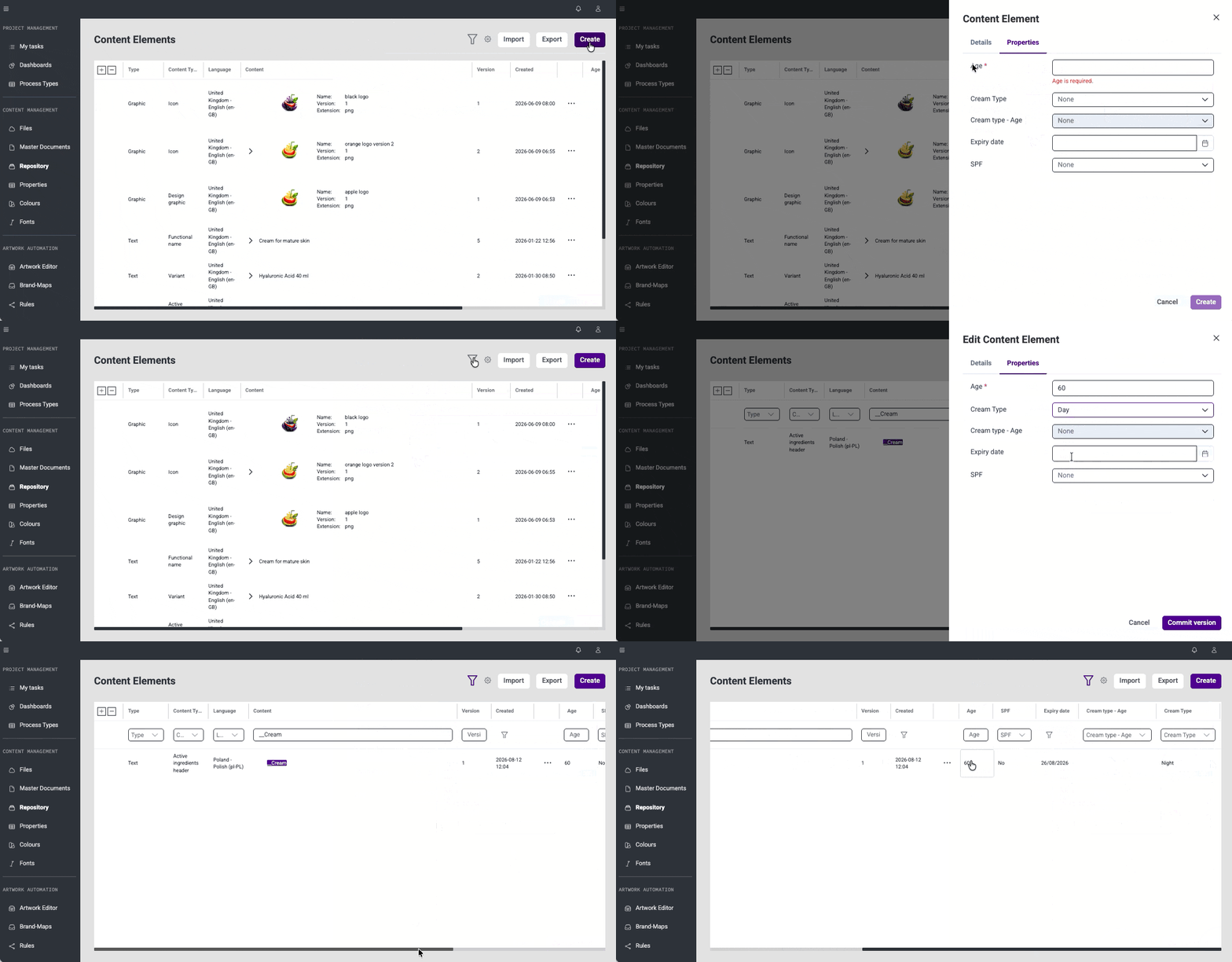
A series of improvements have been applied to ensure Global Properties work consistently across the Content Management application. Hint texts have been removed for consistency, field alignment and widths have been standardised. Validation of required fields has been improved, and default property values are now correctly pre-populated when creating new records. Page refresh behaviour after creating records has been fixed across multiple modules, and various fixes have been applied to ensure property values are handled correctly throughout the system.
Consistent Button Icons Across Content Management (#71457)
Button and icon sizes have been standardised across all modules in the Content Management application - the filter button now matches the size of other action icons for a more consistent and polished interface.
This release brings several improvements to stability and day-to-day usability.
General UI
Filtering
Master Documents
Files
Global Properties
Collection-Based Property Values (#59375)
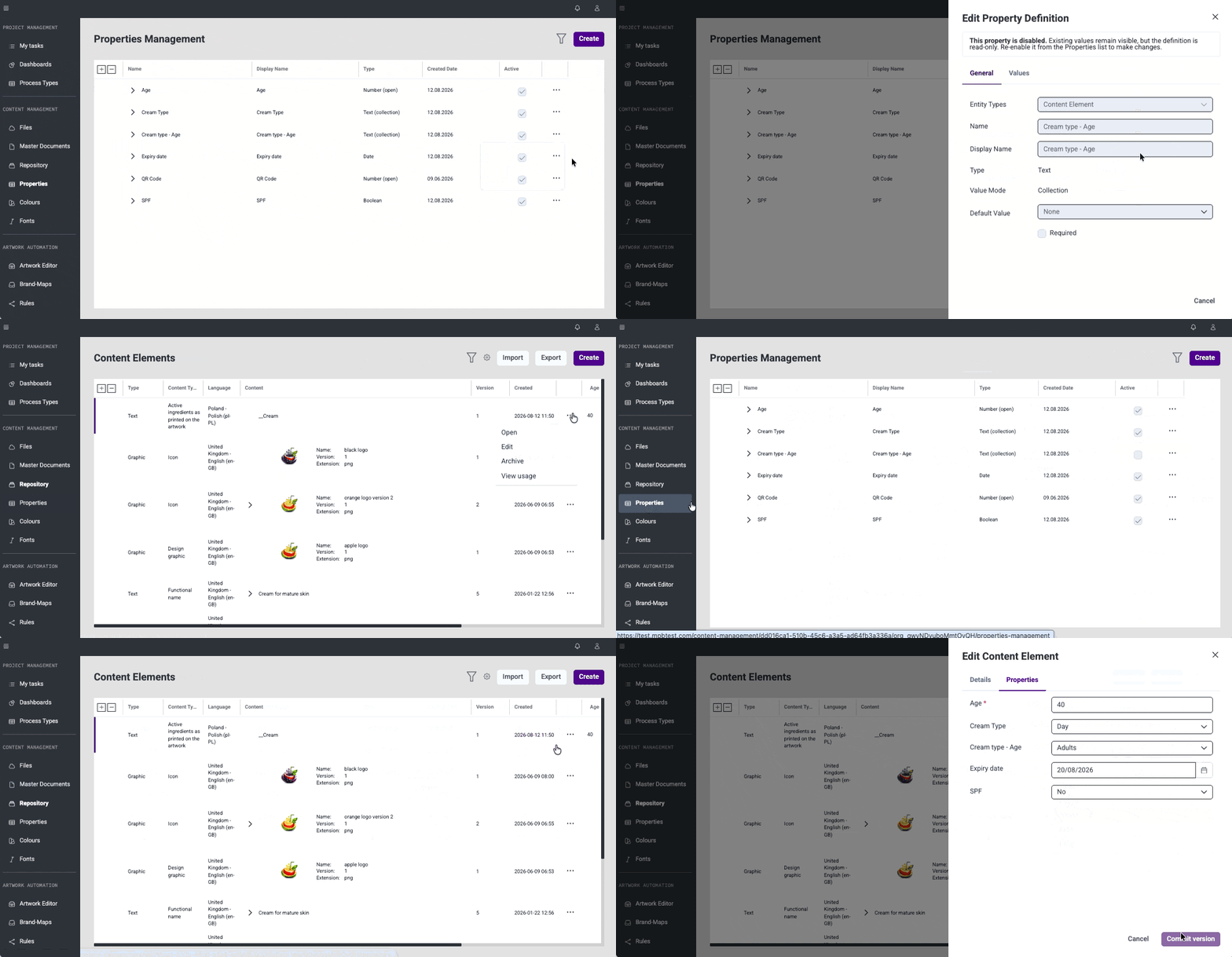
Global Properties now support collection-based values for text and number type. A predefined list of permitted values can be configured directly in the property definition, and users select from a dropdown when filling property value across the items in Content Management system. Values to predefined list can be added, edited, removed within the property definition.
Disable and Enable Global Properties (#59376)
Global Properties can now be disabled without archiving them. Disabled properties remain visible but become read-only, allowing to retire a property while keeping existing values accessible. Properties can be enabled or disabled at any time via a menu action.
Global Properties in Create and Edit Panels (#59567)
Global Properties assigned to Content Elements, Translations, and Projects are now displayed and editable directly in create and edit panels.
This release brings several improvements to stability and day-to-day usability.
Master Documents
Global Properties
This release brings several improvements to stability and day-to-day usability.
Repository


