
This release brings several improvements to stability and day-to-day usability.
Admin Centre and Integrated Applications
This release brings several improvements to stability and day-to-day usability.
Artwork Online
This release brings several improvements to stability and day-to-day usability.
Files
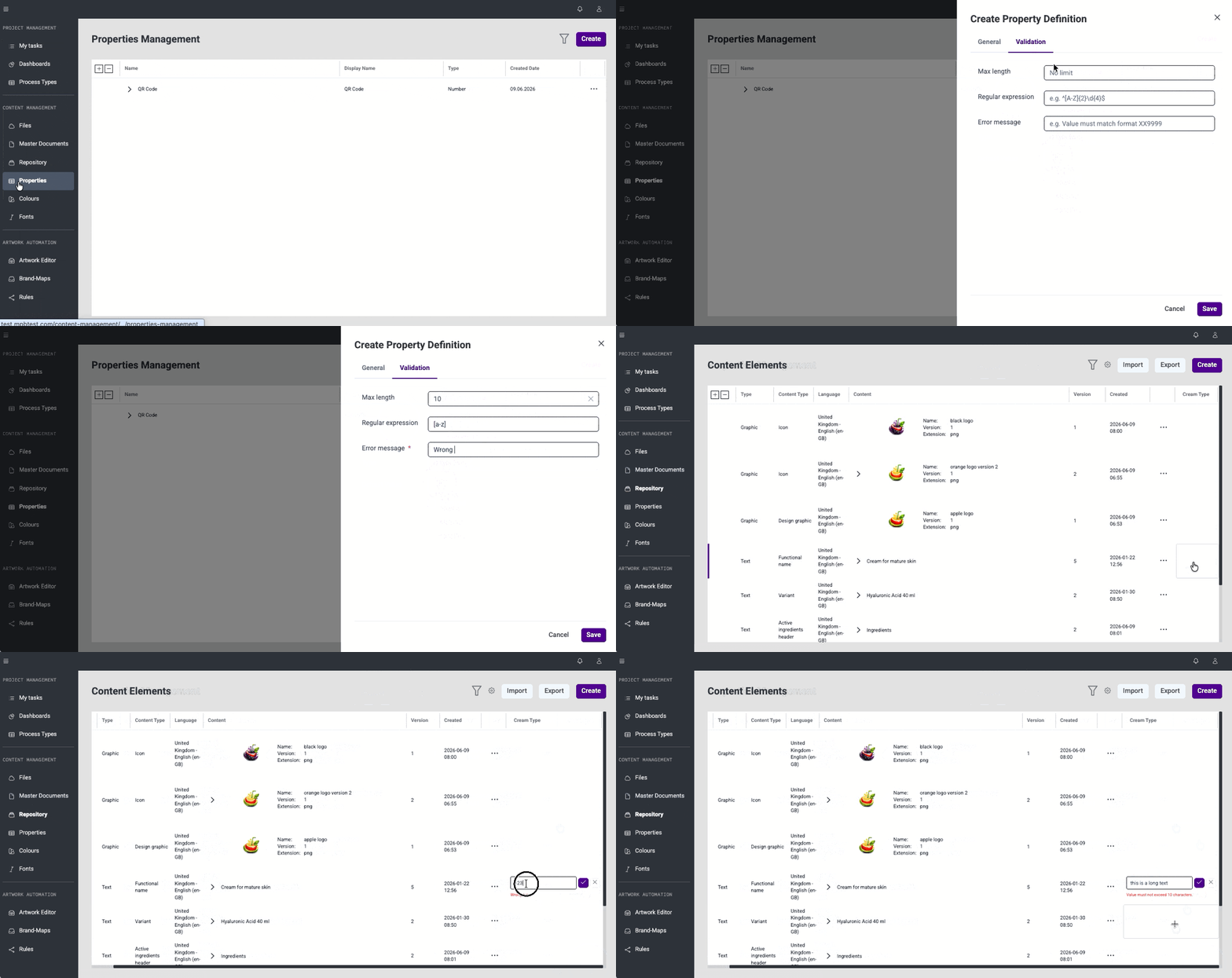
Global Property Validation (#48590)
Global property validation can now be configured from the Content Management Properties module. Text validation is currently supported, including maximum length, regular expression, and custom error message. Validation rules are defined per property and enforced consistently across all create and edit panels throughout the application.
Process Types Hierarchy Management (#60658)
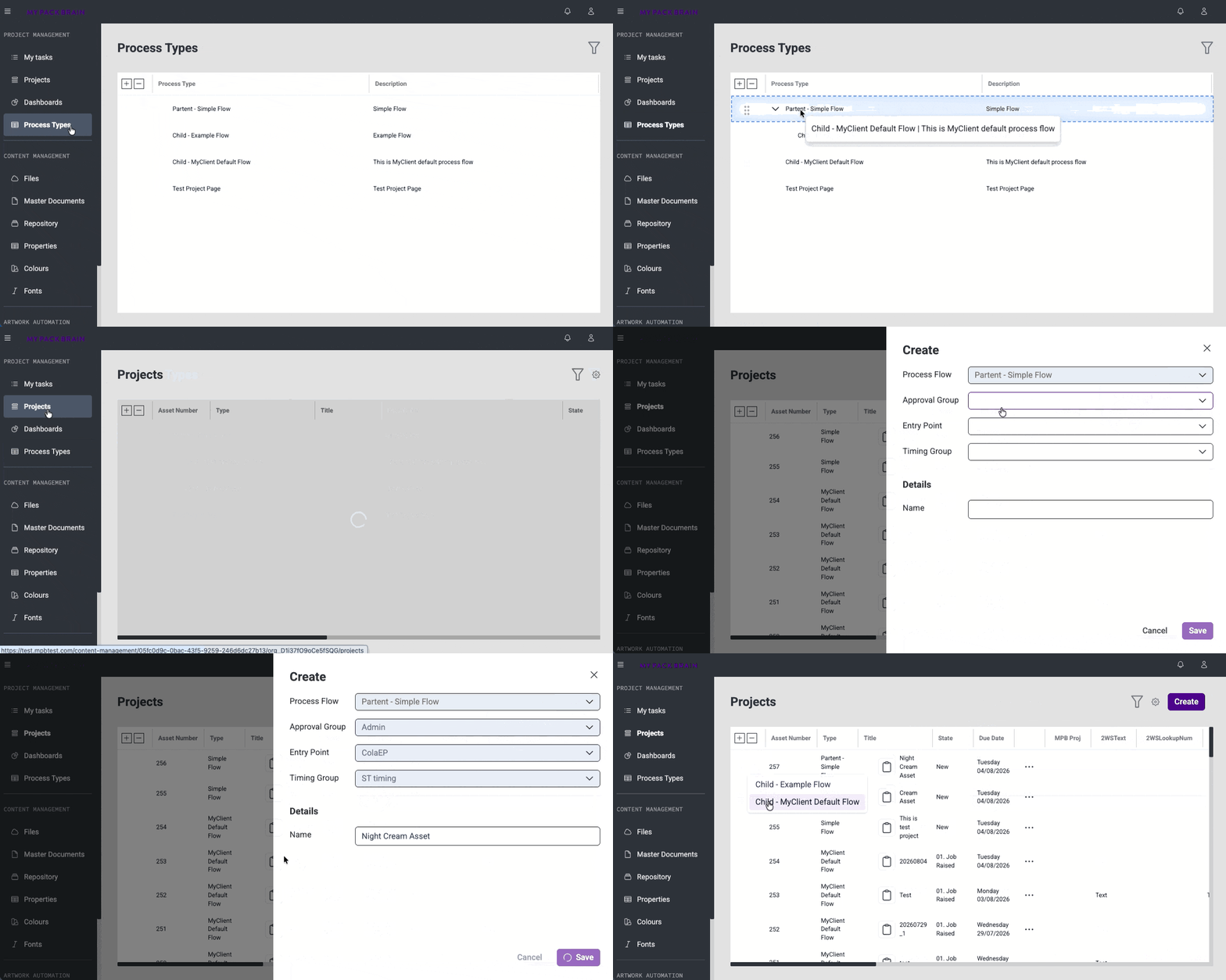
A new Process Types module has been added to Content Management. It allows configuring how Process Types are organised into a hierarchy, controlling which types can be created as children of others. The configuration is organisation-specific and does not affect existing project items.
Hierarchical Items Creation (#60659)
When creating a new project item, users now select a Process Type from a list before the creation panel opens. The content of the side panel adjusts based on the selected Process Type, and the list of available types follows the configured hierarchy - ensuring users can only create valid items according to the organisation's configured structure.
Terminology Update - Process Types and Properties (#65269)
"Item Types" has been renamed to "Process Types" across the application to better align terminology between products.
This release brings several improvements to stability and day-to-day usability.
Master Documents
Two-Way Sync of Custom Properties with Pasara (#48594)
Custom properties are now automatically shared between Pasara and Projects. When a property value is updated in Pasara, it is immediately reflected in Projects — and the other way around. This ensures both systems always display consistent and up-to-date information without any manual updates needed.
This release brings several improvements to stability and day-to-day usability.
Repository
Pasara
Webhook Infrastructure Update (#21933)
The legacy webhook system has been retired following the migration to the new webhook infrastructure. The service bus queue has been replaced with an updated solution, ensuring more reliable and consistent webhook delivery going forward.
This release brings several improvements to stability and day-to-day usability.
Brand Maps & Artworks
Master Documents
Repository
Fonts & Colours
This release brings several improvements to stability and day-to-day usability.
GEM


