
My Tasks - automatic project assignment tracking (#75907)
The My Tasks page now always reflects the current state of project assignments. Any changes made to projects are automatically picked up in the background, so users see an accurate and current task list without any delays.
My Tasks - faster page loading (#75908)
The My Tasks page now loads significantly faster. The underlying data retrieval has been optimised so that project assignments are no longer recalculated on every page open, resulting in a noticeably quicker experience for users with large task volumes.
Global properties available in My Tasks (#83297)
The My Tasks page now displays the same global properties as the Projects module, with full support for filtering, reordering, and pinning. Any global property defined for the Projects entity in the Properties module is automatically available on My Tasks in read-only mode - no additional configuration is required.
Files Manager role - extended permissions (#85451)
The Files Manager role has been extended with additional permissions covering all editing actions in the Files module: uploading new files, uploading new versions, removing files, and removing file versions. The Super Admin role has been updated to include these permissions automatically. Users without the Files Manager role now have read-only access to the Files module - they cannot upload, remove, or edit any content.
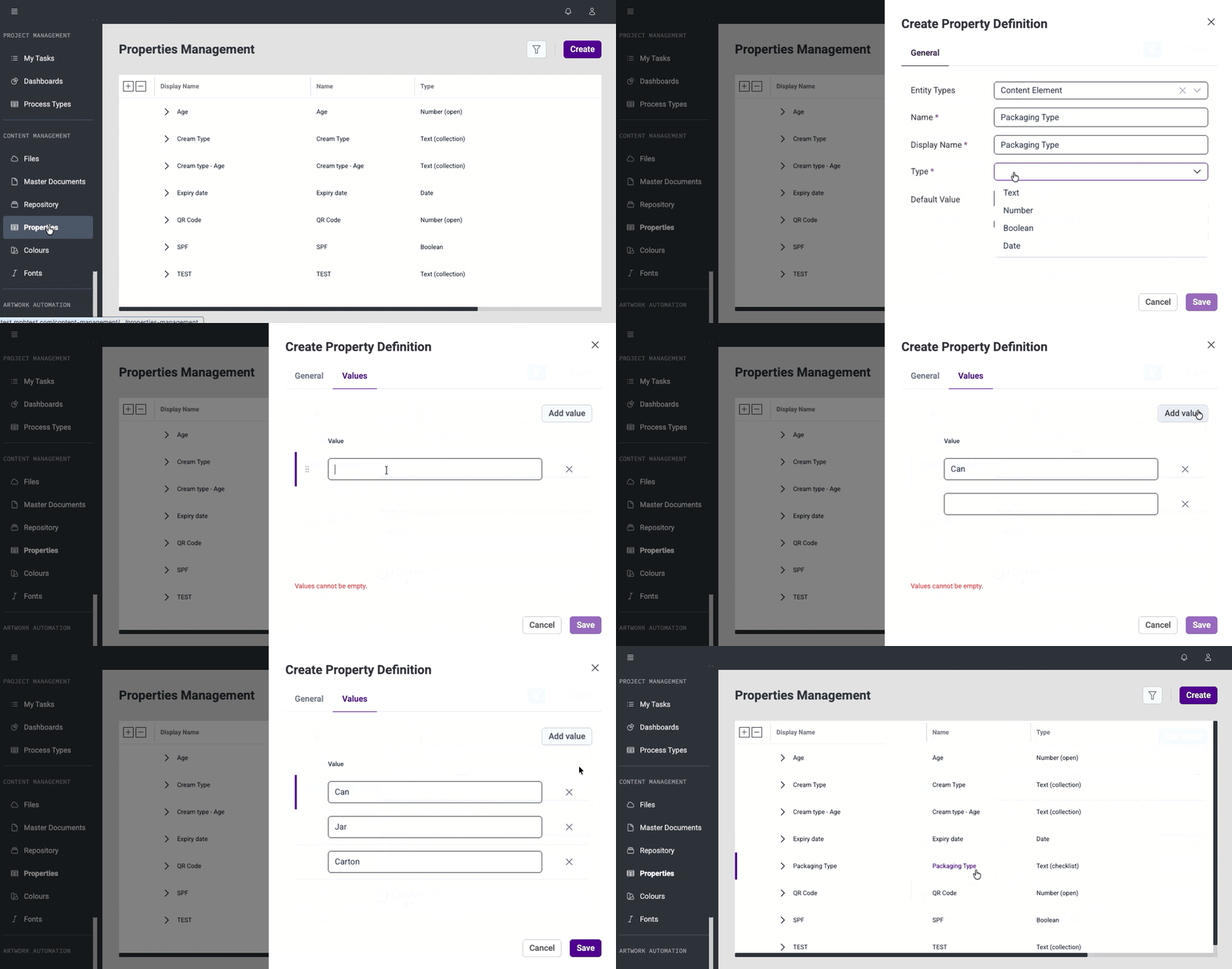
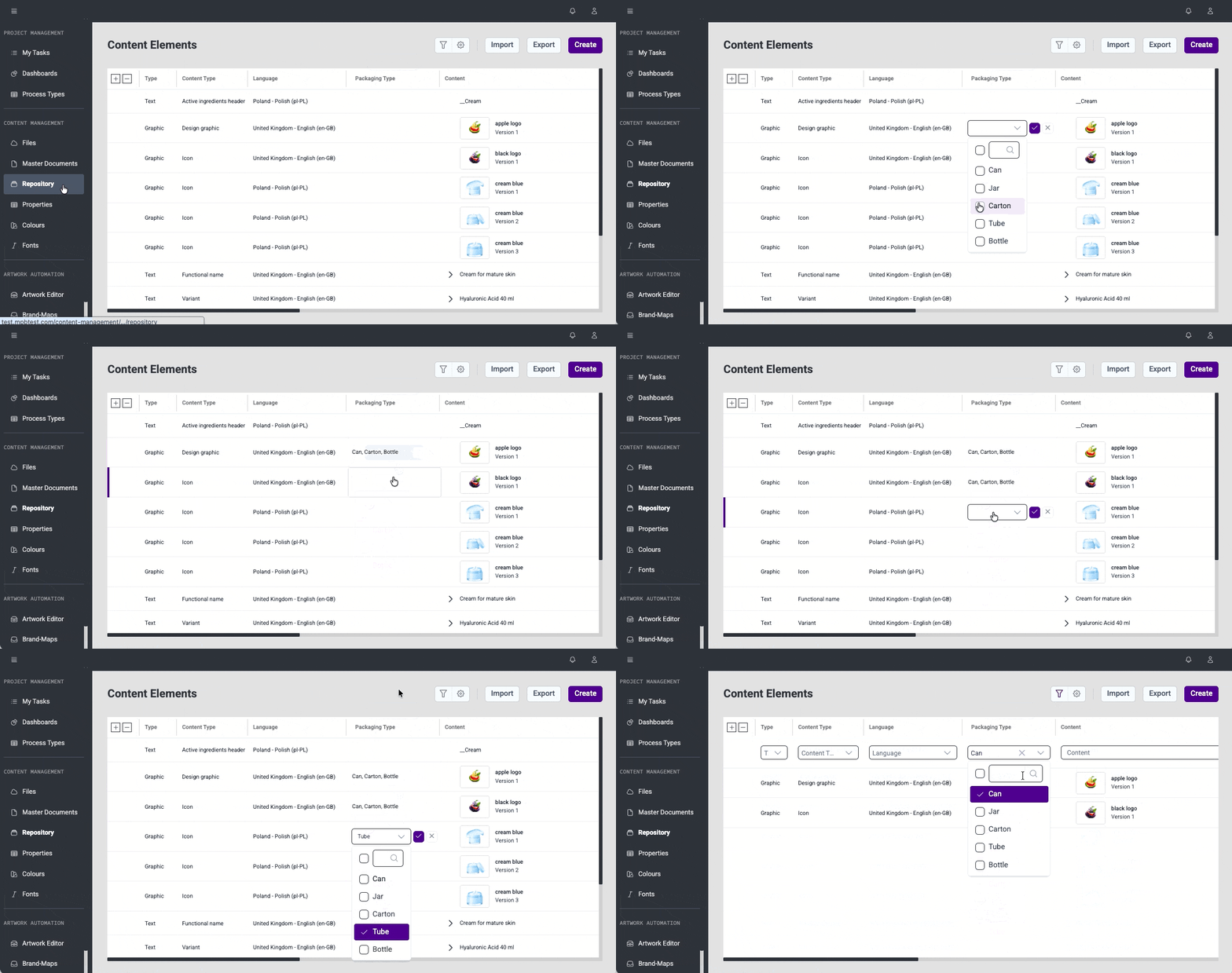
Checklist property type (#85500)
A new Checklist type is available when configuring global properties of text and number type, allowing multiple predefined values to be assigned. Checklist properties are supported across all modules that use global properties, with full support for filtering, table column display, and validation.
Reliable locking in Rules (#68761)
When a locking operation in Rules fails, users now receive an error instead of a misleading success message, ensuring the outcome of every action is clearly communicated.
Resilient font locking and deletion (#68763)
Font locking and deletion now handle connectivity issues gracefully. Fonts in use remain protected, and failed operations no longer leave the system in an inconsistent state.
Import artworks from Excel across multiple brand maps (#86600)
A new import option is available on the Artwork Management page. Users can create multiple artworks across different brand-maps in a single Excel import. Each row specifies the brand-map and artwork name, with remaining columns mapped to the corresponding variables.
This release continues the ongoing effort to improve the consistency and usability of the Content Management platform.
This release brings several improvements to stability and day-to-day usability.
Content Management
Files
Fonts
My Tasks
Brand Maps & Artworks


