This release brings a change to the user interface.
The three main functionalities, Differences, Layers and Separations, are available on the left-hand side and are accessed by expanding the arrow to the left of each header.
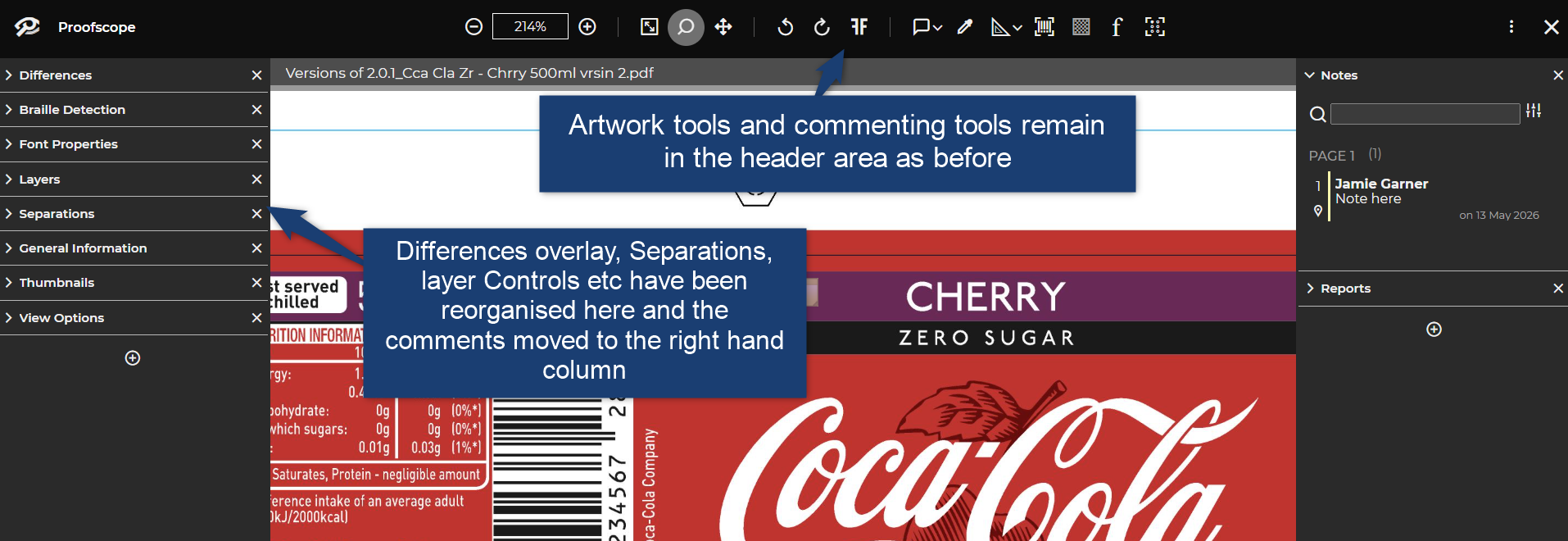
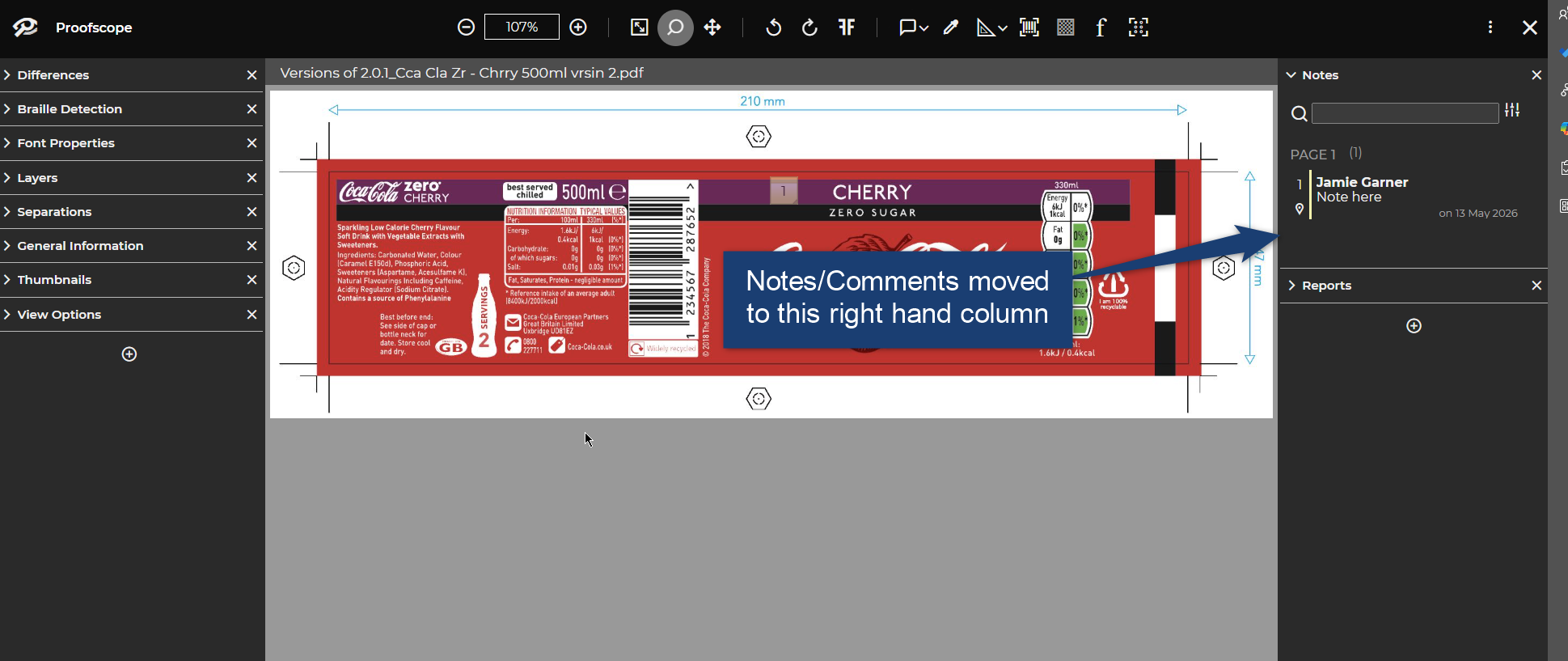
Comments are now separated and displayed on the right-hand side.
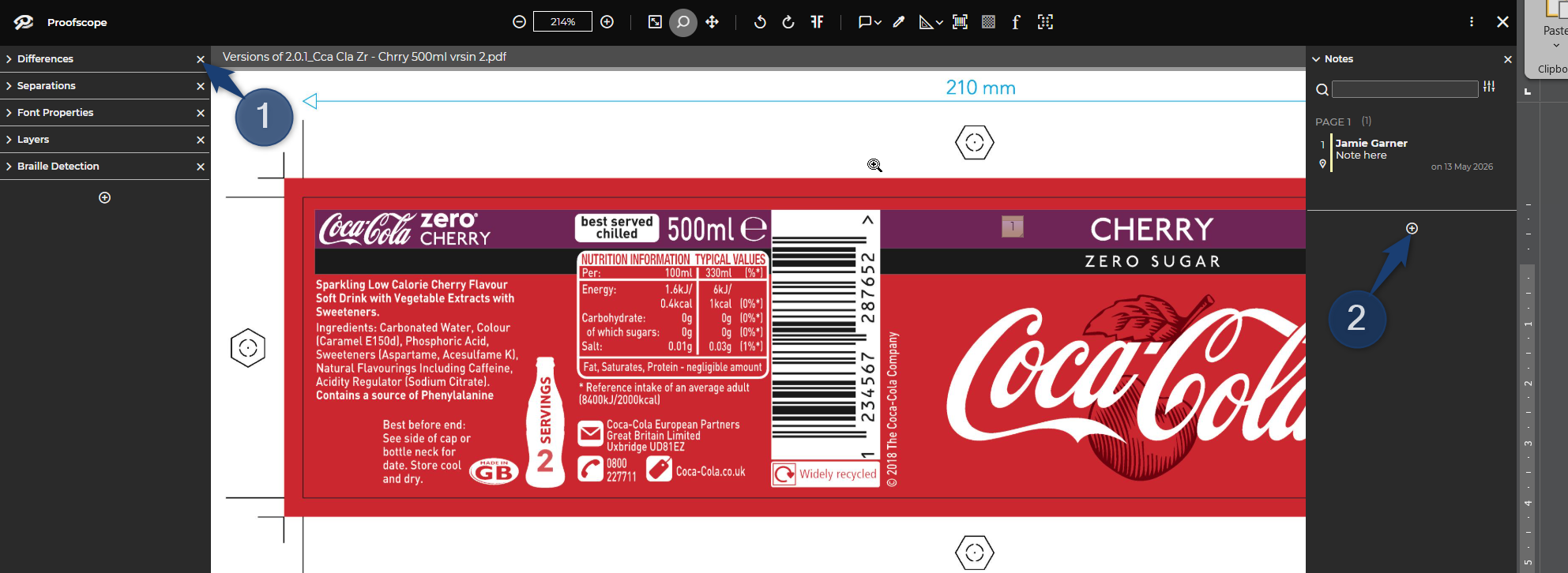
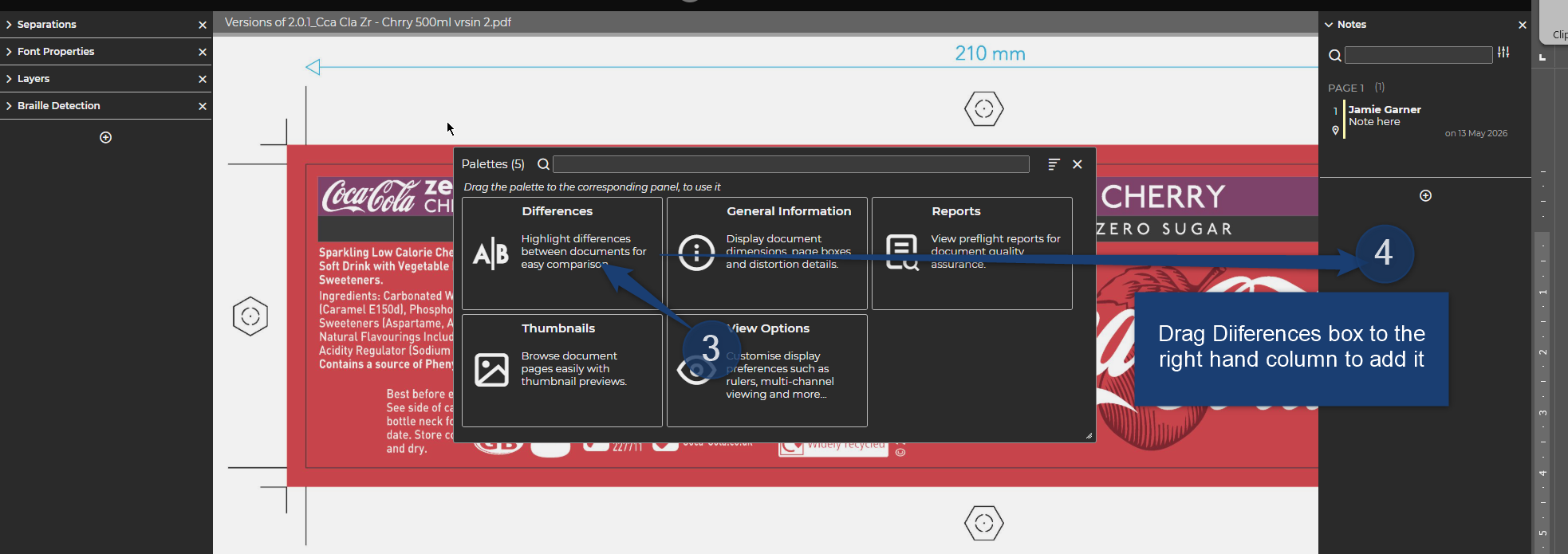
You can customise the left and right-hand columns for yourself. Example: Move the Differences panel to the right-hand column
1. Click on the X to close the Differences panel.
2. Now on the right-hand panel click the + symbol and a menu will popup.
3. Select the Differences panel when the mouse cursor turns into a hand icon.
4. Drag and drop the Differences panel to the right-hand column to move it.
All panels can be added to either column or can remain closed by just clicking the X.
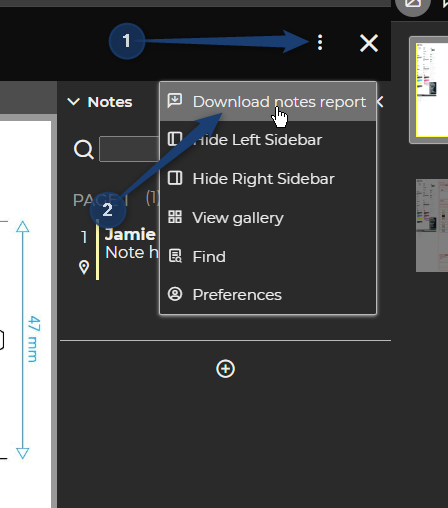
To download the Comments left by users, navigate to the three-dot menu top right and select “Download notes report”.