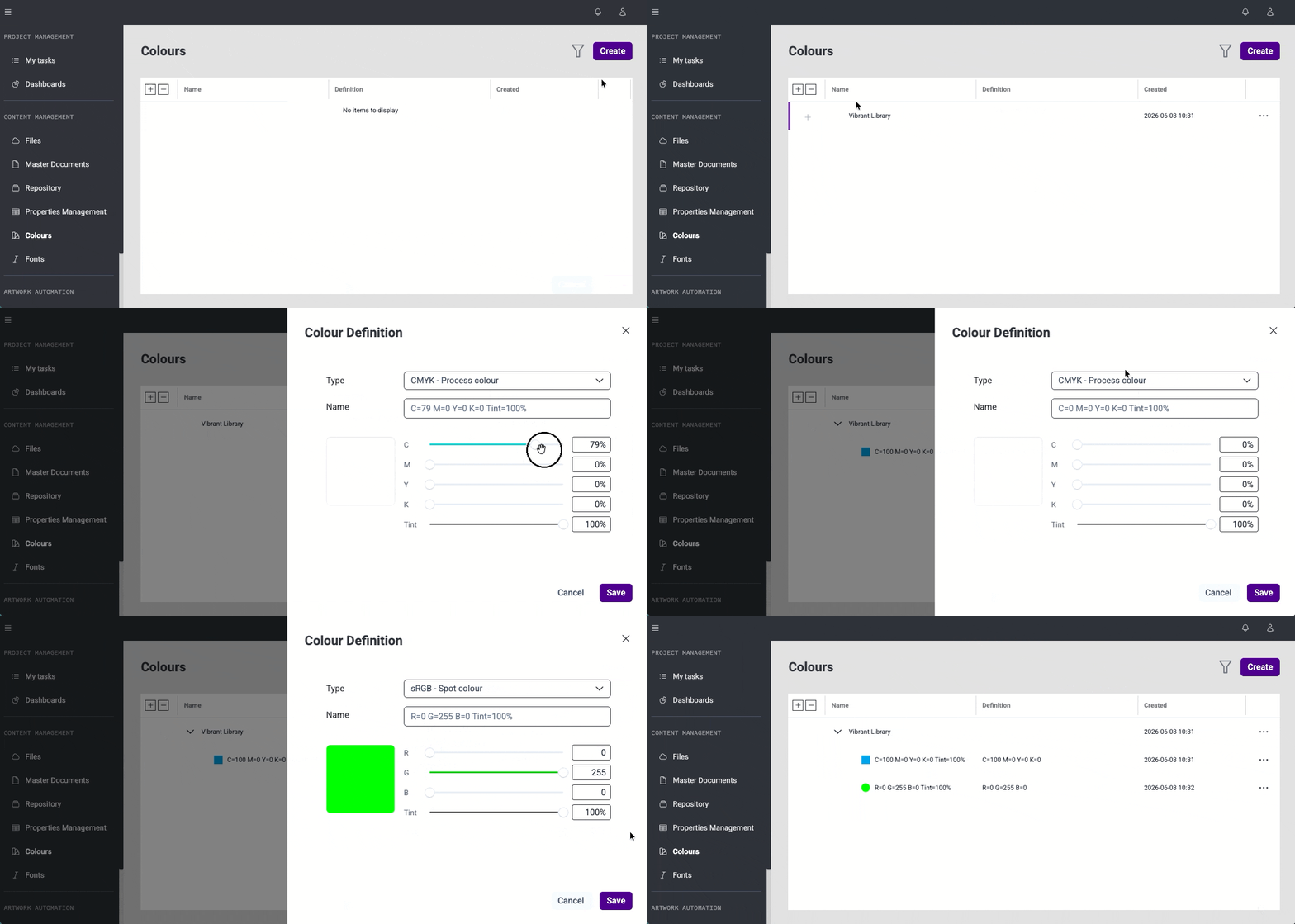
Adds a new Colours module in Content Management for managing organisation colours.
Custom colour libraries list (#46315)
Introduces a table with organisation-specific colour libraries and their colours in the Colours module. Allows managing custom libraries and colours, including creating, editing, and removing CMYK and RGB colours.
System colour libraries in API (#48165)
Extends the colour libraries API to return system colour libraries together with custom libraries. System colour libraries are available for integrations, but do not appear in colour library management.
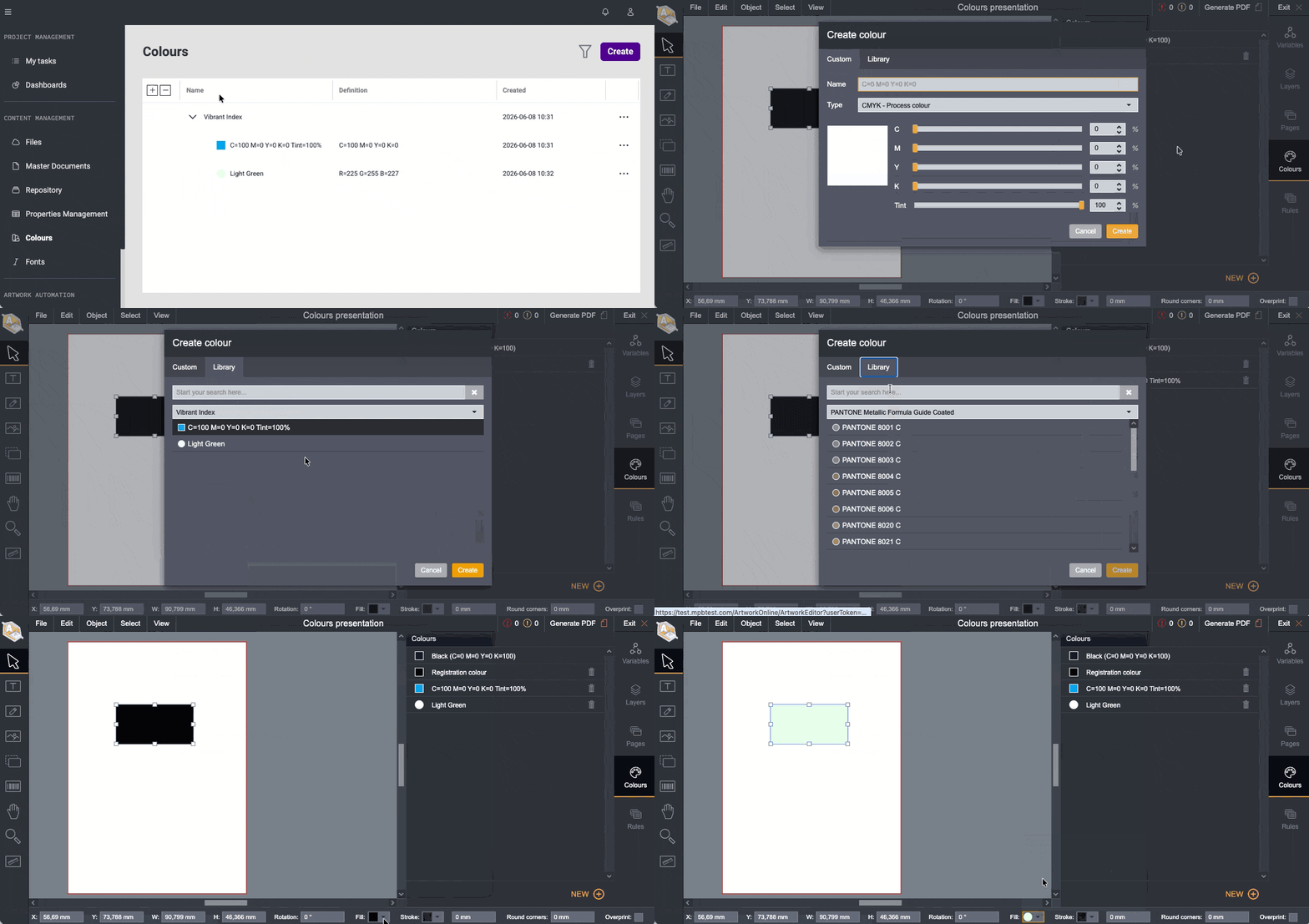
Library colours in Colour picker (#48158)
Adds a Library option in the Colour picker to select colours from libraries. This is currently available in Artwork Online Editor only.
Repository
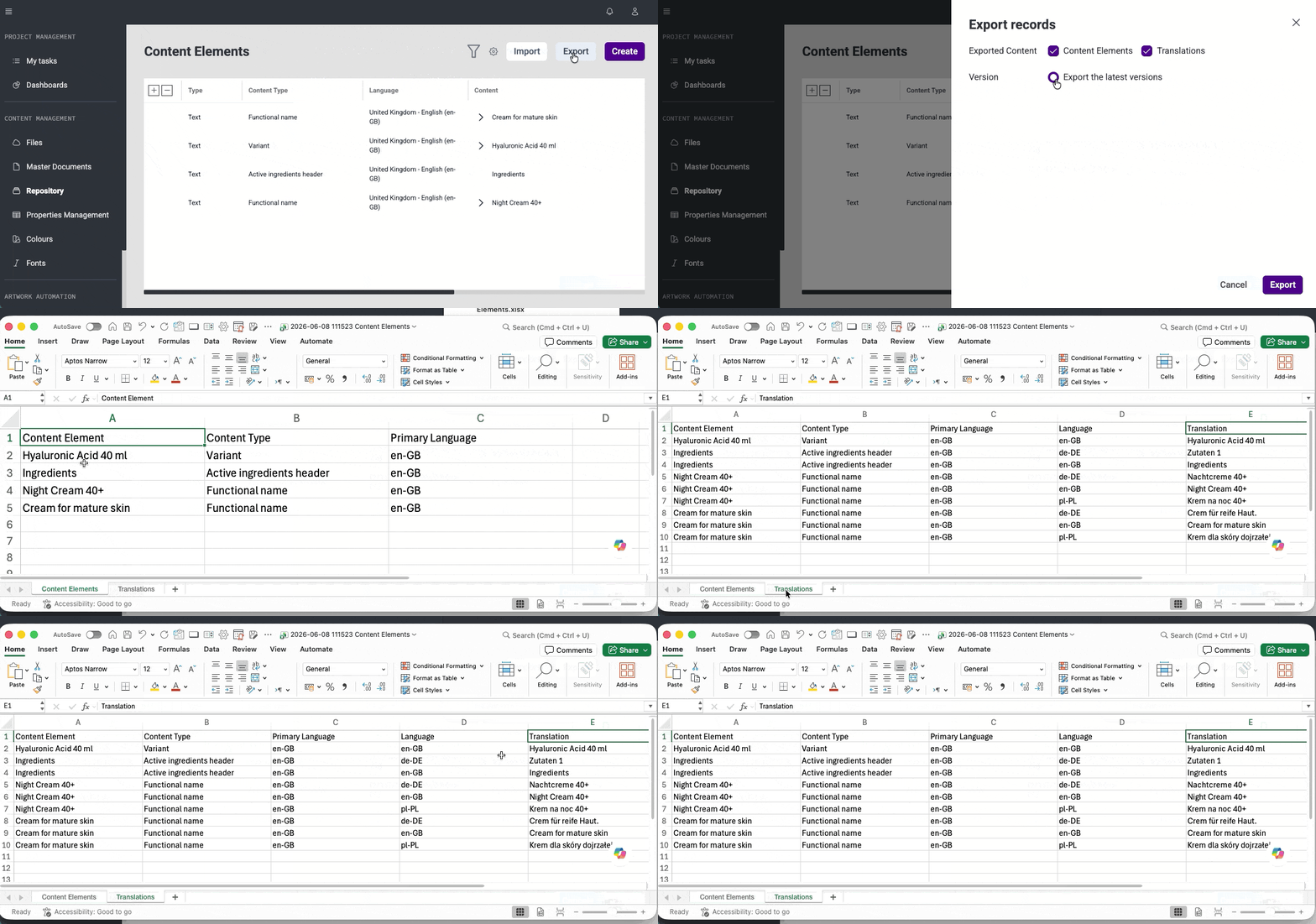
Export Content Elements and translations (#45963)
Adds an export option for repositories to prepare an Excel file with Content Elements and translations in the same format required for import. This supports archiving and other repository management tasks.
Bug Fixes
This release brings several improvements to stability and day-to-day usability.
Master Document
#45927: Fixed an issue where mandatory Content Elements did not show placeholders in Master Document details. Placeholders are now displayed correctly, improving clarity during editing.
Brand Maps & Artworks
#49065: Fixed an issue where opening AO1 from Content Management showed a permissions error. Selected artworks now open correctly in the editor from Content Management pages.
#48939: Fixed an issue where the artwork name field was too narrow during creation. The field now provides enough space for comfortable input.
#49507: Fixed an issue where numeric fields in Brand Map variable edit mode were too small to display values. Fields are now properly sized, making values visible and easy to edit.
Files API
#45394: Fixed an issue where next and previous page links were missing in search results with multiple pages. Navigation links are now consistently generated, allowing proper browsing of results.
Shared Components
#48189: Fixed an issue where an incorrect dashed border appeared when moving items in cases where hierarchy was not allowed. Visual indicators now correctly reflect valid placement behavior.
#46878: Fixed an issue where the expand/collapse icon for Font Family was not vertically centred relative to other elements in the row. The icon is now properly aligned, improving visual consistency in the Fonts management module.
Rules - UI & Layout
#49471: Fixed layout shifts in the side panel when expanding or collapsing values to view assigned rules and when validation messages appear. The layout now remains stable during these interactions.
#48975: Fixed an issue where lower fields in the side panel were not accessible on smaller browser sizes due to missing scrolling. All fields are now reachable and can be properly edited.
#49523: Fixed a UI issue where the default value dropdown for collection variables was cut off. The full dropdown is now visible and properly aligned.
#49600: Fixed an issue where action buttons slightly shifted position during processing. Buttons now remain stable while showing loading progress.
#48146: Fixed an issue where long options in dropdowns were cut without indication. Truncated values now show “...” and display the full text on hover.
#48150: Fixed an issue where the layout shifted when validation messages appeared in the side panel. The layout now remains stable across all tabs.
#48972: Fixed an issue where the selected type in the condition section was not fully visible due to limited width. The layout now properly displays selected options.
#49001: Fixed an issue where long default values broke the text editor layout. Text now displays correctly without affecting the editor.
#48155: Fixed inconsistent validation for overly long variable names and improved overall UI consistency. Validation messages now match behavior used in other parts of the application.
#49514: Updated the edit side panel header to match the naming style used across the application. This creates a more consistent and visually aligned experience.
#49492: Fixed an issue where the last variable in the list was rendered outside the visible table area. The variable was present and findable via search, but not visible when scrolling the list. All variables are now fully visible within the table.
#48935: Improved toast notifications in the Rules module — removed internal "Cobra" references from toast messages and fixed an issue where the list was not refreshing after a removal action. Toast messages now follow the visual style consistent with the rest of Content Management.
#48153: Fixed an issue where there was no explicit "None" option in the default value dropdown for drop-down variables. Previously only the "x" button was available to clear the selection. A "None" option is now directly selectable from the dropdown list.
Rules - Text Handling
#48149: Removed unnecessary placeholder text from value creation and validation fields. Forms are now cleaner and easier to use.
#49469: Resolved a problem where text editors in some areas accepted styled text and markdown formatting. Text input now stays clean and consistent with the expected format.
Rules - Data & Refresh Behavior
#49474: Fixed an issue where the variable list sometimes showed data from a previously opened Ruleset. The list now always displays correct and up-to-date data.
#48936: Fixed an issue where the values list did not refresh after removing an item. The list now updates immediately after changes.
#49524: Resolved a problem where changing a variable type caused extra empty values to appear in the values list. The list now refreshes correctly after type changes for text, graphic, and color variables in both collection and diminishing setups.
#49522: Fixed an issue where removing a rule without saving made the value list appear updated after reopening the variable. The list now correctly reflects only saved changes.
Rules - Saving & Rules Behavior
#49624: Fixed an issue where rules created while adding a collection variable value were not shown after saving and reopening the variable. Rules now remain attached to the value as expected.
#49467: Fixed an issue where graphic variable values could be saved before thumbnails finished loading, which caused invalid values. Saving now works correctly and prevents incomplete entries from being stored.
#49470: Fixed an issue where the save button became active again just before the side panel closed during saving, which allowed duplicate variables to be created. The button now remains disabled until the process is fully completed.
#49530: Fixed an issue where editing rules with “contains” and “does not contain” conditions did not show the selected values. Existing selections now appear correctly when the rule is opened for editing.
#49016: Fixed an issue where the rules preview showed an incorrect number of rules. The preview now reflects the actual number of rules available for editing.
#49018: Fixed an issue where rules were not generated in the ruleset and CCF file. Rules are now correctly generated and available for further use.
#49517: Fixed an issue where opening a previously copied URL for a removed variable showed an empty side panel. Access to removed variables is now blocked, preventing invalid views from opening.